✦ Free for Chrome — No account required

Your browser has
47 tabs open
right now.

TabStash saves up to 95% of Chrome's memory and clears the clutter — without losing a single tab. Free, forever.

Add to Chrome — It's Free

★★★★★ Loved by early users · No account · Uninstall anytime

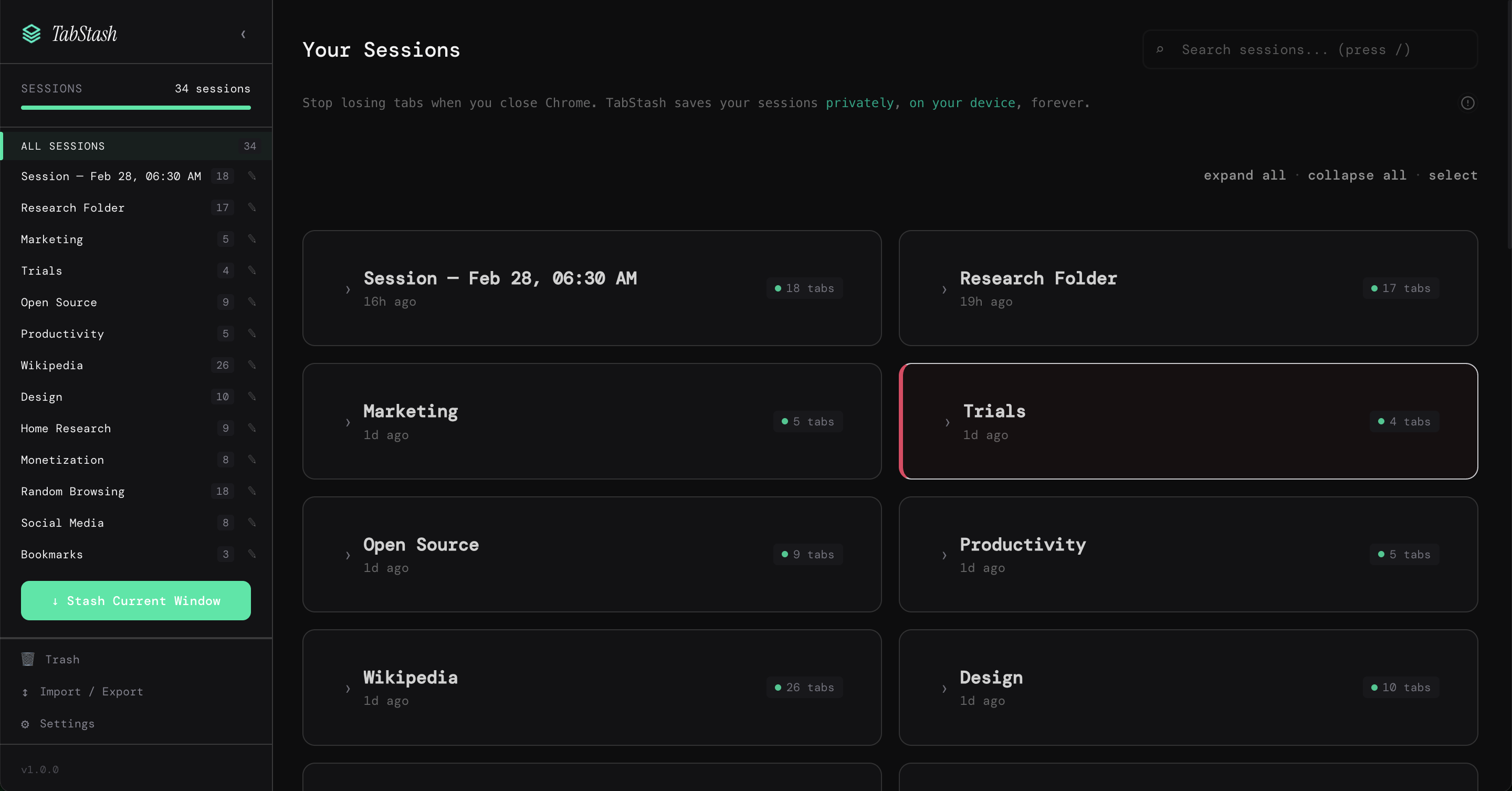
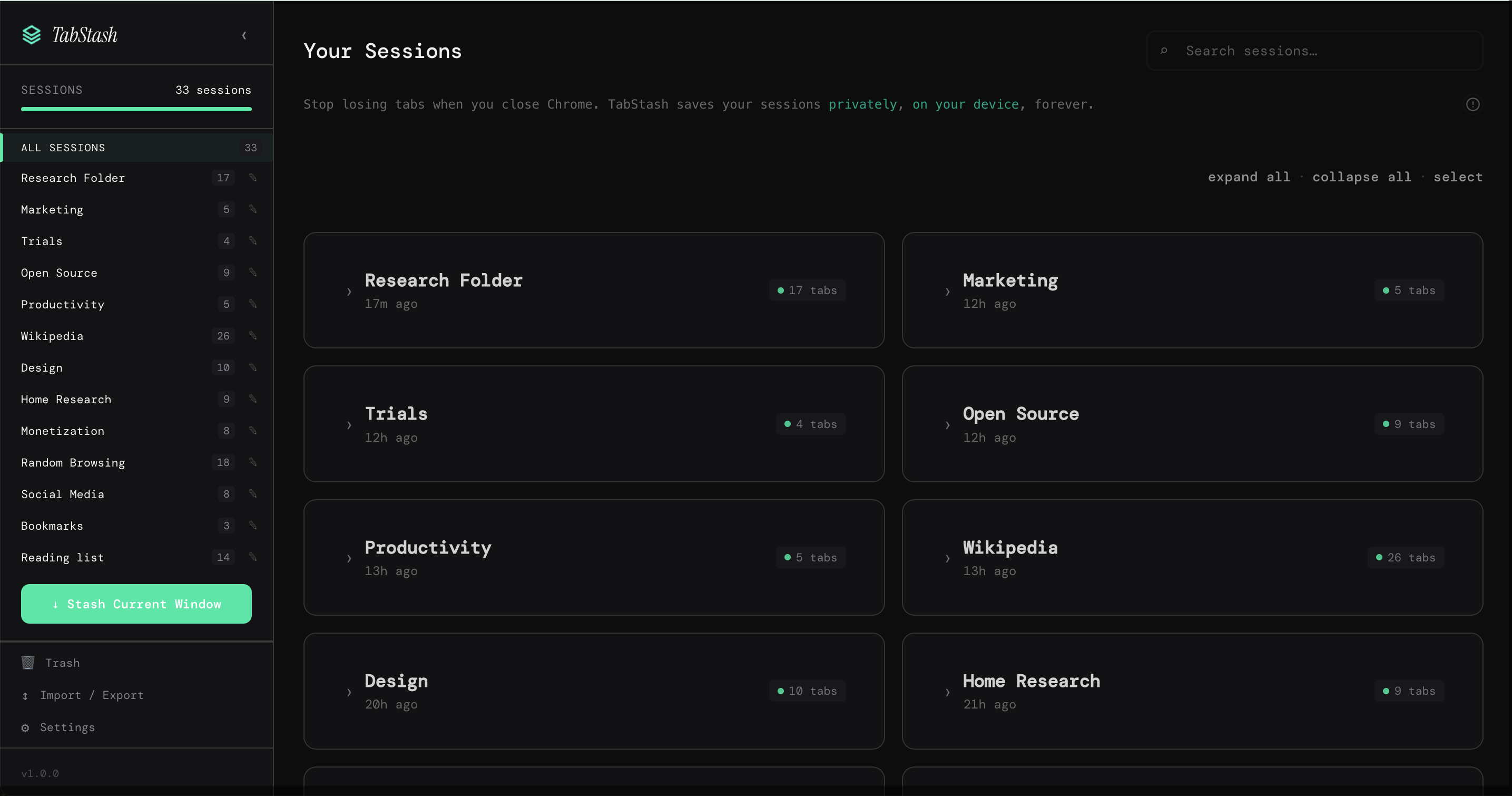
TabStash dashboard showing saved sessions
📱 On mobile? Email this to your desktop.
★★★★★

"Loved by founders, engineers
and productivity geeks."

1,000+
sessions saved
30+
countries

"Finally, a tab manager that feels
like it was made this decade."

— Indie maker, ProductHunt

Chrome is eating
your computer alive.

50-150MB RAM per open tab

With 30 tabs open you're running a small server just to browse the web.

25 tabs open per knowledge worker

Finding the tab you need takes longer than just Googling it again.

87% of users have lost important tabs

One crash, one accidental close. Everything gone.

There's a better way to work.

INTRODUCING

Meet TabStash.

A tab manager built for how you actually work.
Modern design. Instant save. Zero clutter. 100% free.

TabStash full dashboard view
THE BIG ONE

Cut Chrome's memory use by up to 95%.

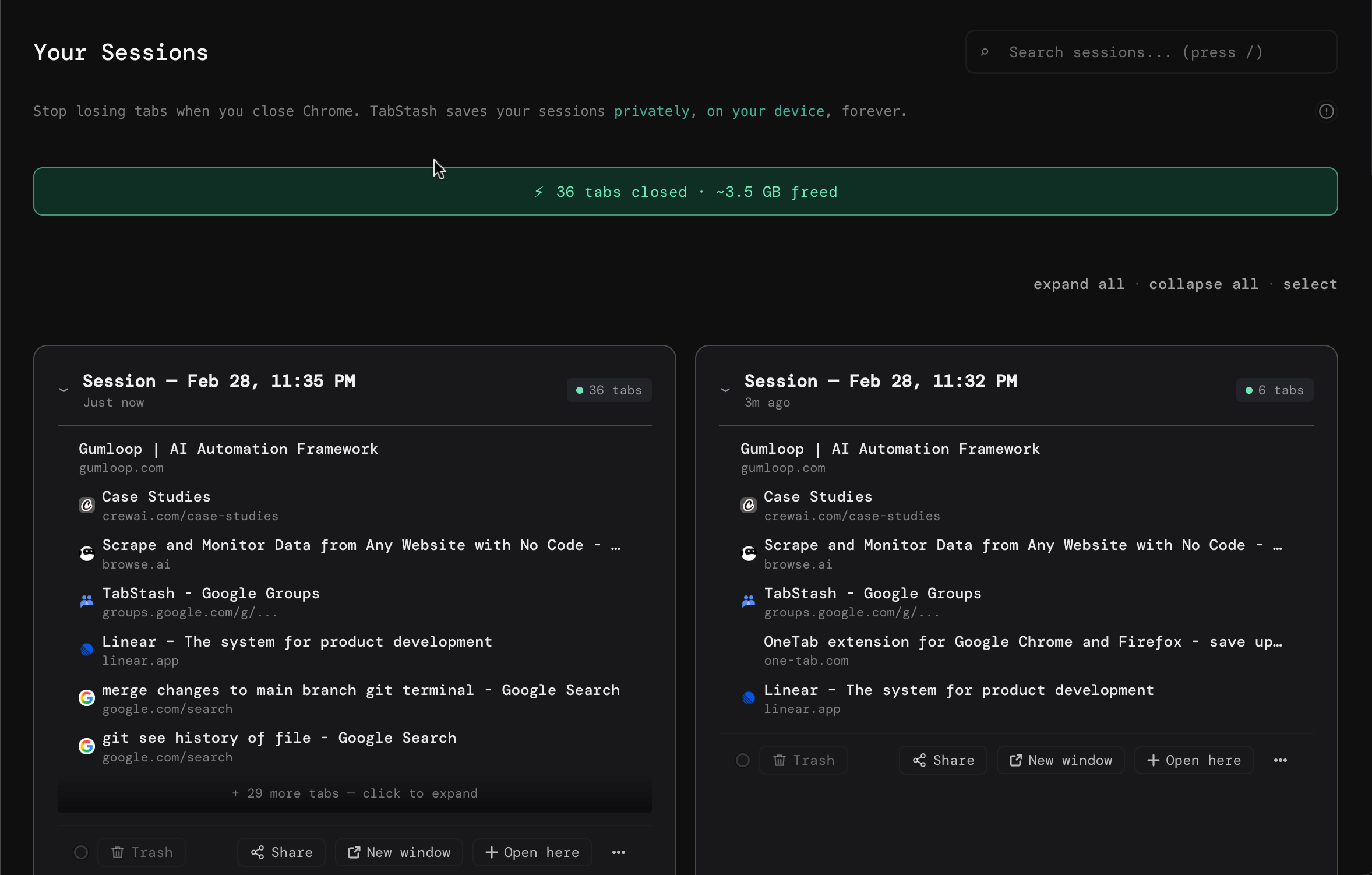
TabStash stashes your open tabs and frees the memory instantly. Your computer stops sounding like a jet engine. Your other apps get the RAM back. Nothing is lost — everything is waiting when you need it.

Before TabStash After TabStash
34 tabs open 0 tabs open
RAM: 4.2GB RAM: 340MB
Fan: audible Fan: silent
TabStash memory savings
ORGANIZE

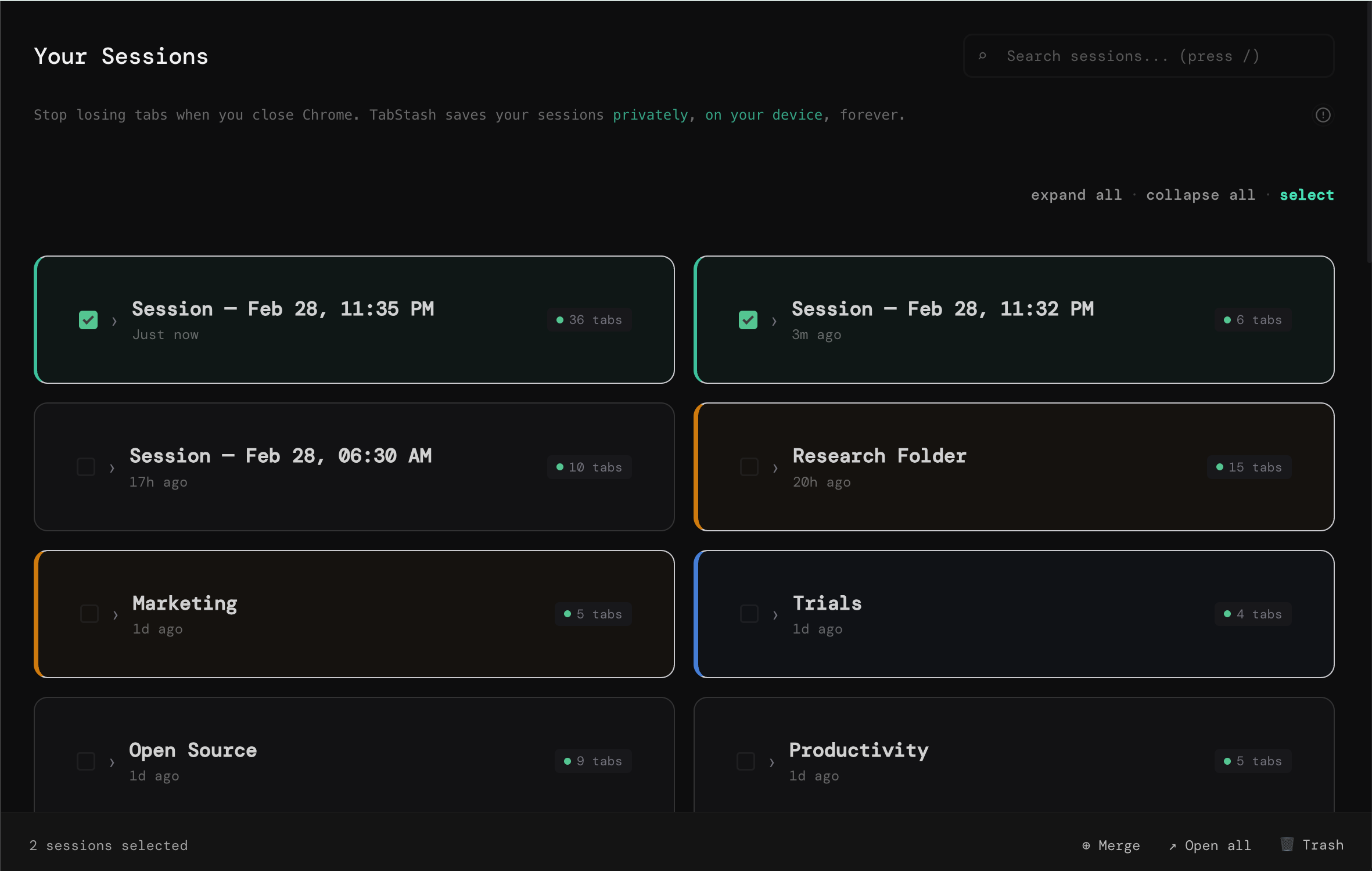
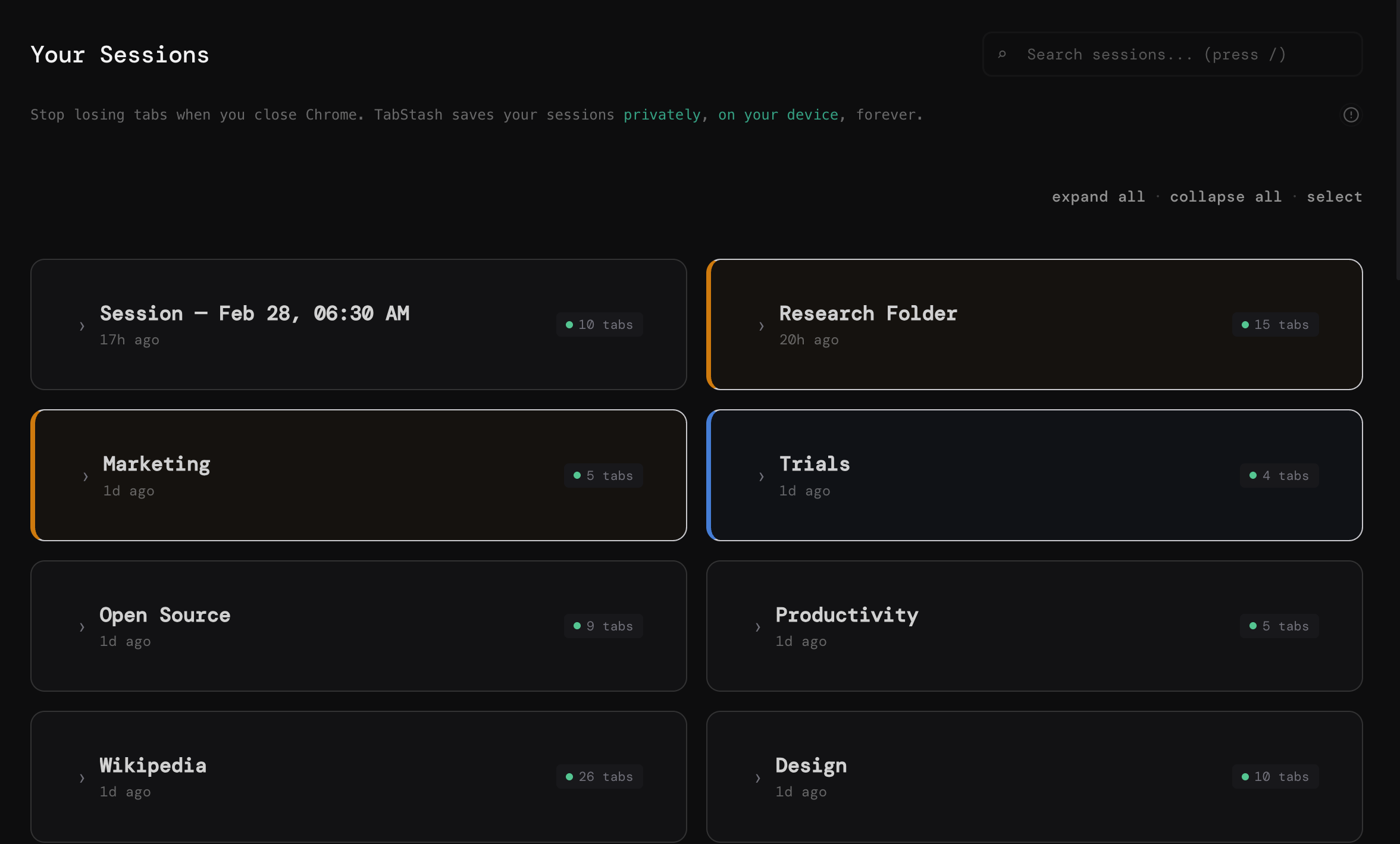
Named sessions. Color tags. Everything exactly where you put it.

Group your tabs by project, by mood, by day of the week — whatever makes sense to you. Color tags let you scan your sessions at a glance. Rename, reorder, merge. Your tab library, your system.

TabStash sessions with color tags
NEW

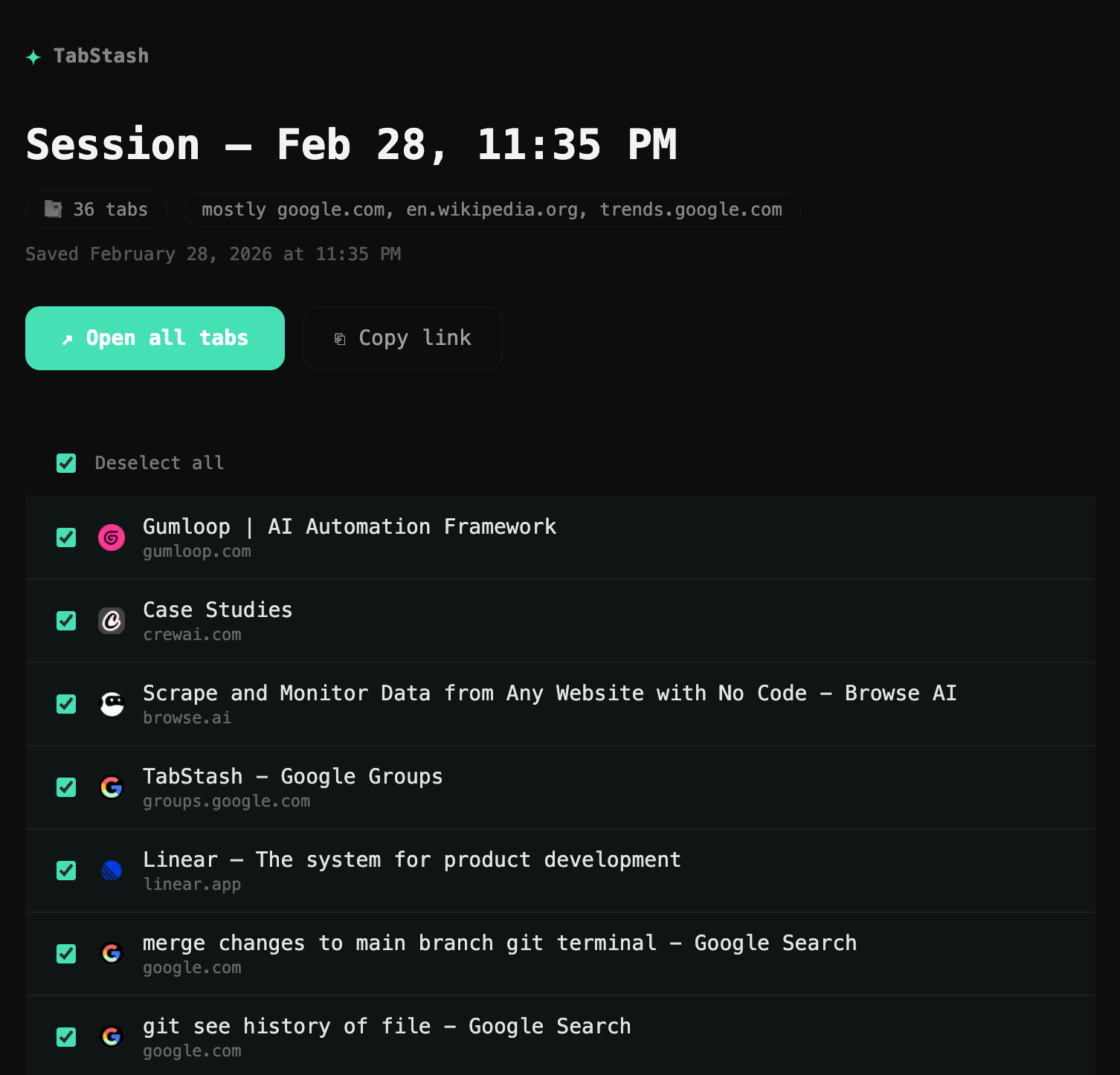
Send anyone a perfect set of tabs. Instantly.

One click generates a shareable link. Your colleague opens it and sees every tab, organized, with titles and favicons. No more "here are 8 links" messages in Slack. One link, full context.

TabStash shared session view
SET AND FORGET

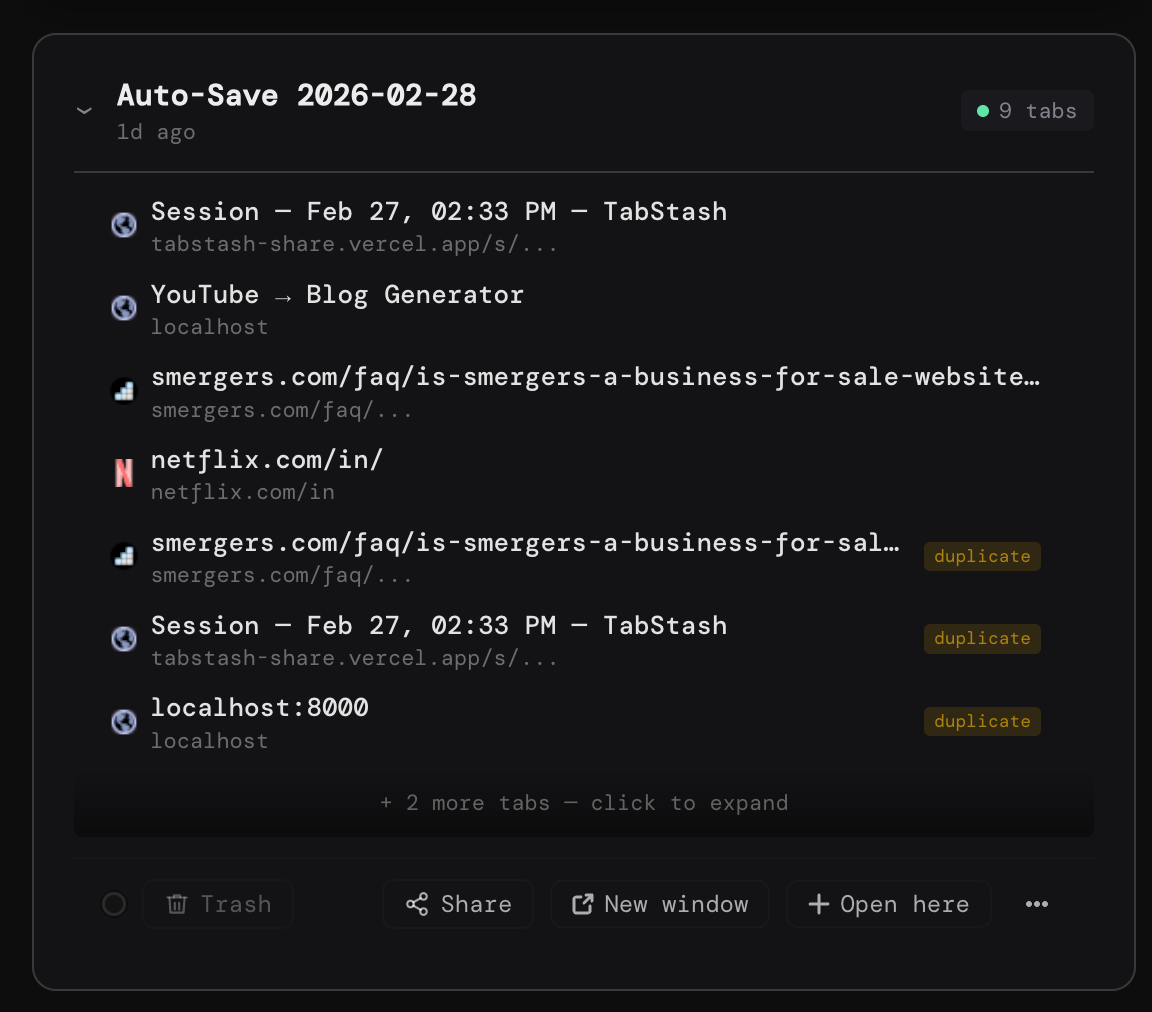
Never lose a tab to a crash again.

Auto-save watches your browser and stashes your sessions automatically. Crash, close, restart — TabStash has a copy of everything. The tabs you needed are always recoverable.

TabStash auto-save feature
ACTUALLY BEAUTIFUL

A tab manager you'll actually enjoy opening.

Most tab managers look like browser settings menus from 2011. TabStash was designed from scratch to feel like the modern tools you already love — dark theme, clean typography, smooth interactions. Opening it feels good.

TabStash beautiful dashboard design

Why TabStash over other tab managers?

Feature TabStash Others
Modern UI Built for 2025 Dated, cluttered
Unlimited sessions Always free Capped or paywalled
Built-in sharing One-click link Rare or missing
Completely free All features Core features locked
Memory optimized Up to 95% savings Heavy on RAM
No account needed Install and go Sign-up required

Everything. Free. No catch.

Unlimited saved sessions Color tags and organization Session sharing Auto-save No account required No credit card No usage limits

TabStash is completely free while we're growing.
Lock in all features now — before Pro pricing arrives.

Add to Chrome — Free Forever
EARLY USERS

What early users are saying.

★★★★★

"This is the first tab manager that doesn't feel clunky. The design is actually good. I've tried them all."

Senior Engineer
Backend infrastructure, 6 years in browser tools
★★★★★

"I finally close tabs without anxiety. Knowing they're saved makes the act of closing feel like a relief, not a loss."

Indie Hacker
Solo founder, ProductHunt maker
★★★★★

"Sent a session link to my co-founder with 12 research tabs. He had them open in seconds. No Slack spam."

Product Designer
Early-stage startup, 3 devices daily
FAQ

Quick answers.

Yes, completely. Unlimited sessions, all features, no credit card, no account needed. We're focused on building a great product right now. When we introduce Pro features in the future, everything you're using today stays free.
Never. Stashed tabs are saved permanently in your browser's local storage. They're there until you delete them — no expiry, no cloud dependency, no sync required.
TabStash only reads the tabs you explicitly stash. It doesn't monitor your browsing, doesn't track your history, and doesn't send any data to our servers except when you use the optional session sharing feature.
It depends on the pages you have open, but most users see Chrome's memory usage drop 80-95% after stashing. Each saved tab uses a few bytes of storage instead of 50-150MB of RAM.
Chrome's tab groups help you organize open tabs. TabStash lets you save and close them entirely — freeing memory while keeping everything accessible. They solve different problems and work well together.
Your saved sessions are stored in Chrome's local storage. Use the export feature before uninstalling to keep a backup. Reinstalling gives you a fresh start, and you can import your exported sessions.
TabStash works with any tab you can open in Chrome — web apps, Google Docs, YouTube, local files. The only exception is Chrome's internal pages (chrome://) which extensions cannot access by design.

Your tabs are waiting.

Join the early users who stopped hoarding tabs
and started actually finding them.

Add to Chrome — It's Free

★★★★★ · No account · No credit card · Uninstall anytime